Licensed case study / After audit
Funil CRM
Client portal · Nov 8, 2026
7 measured views. Local app. Design grades compare the actual screen with published product references. N/A means there was no applicable sample. Unverified means evidence was insufficient.
Product specificity and generic signals · B
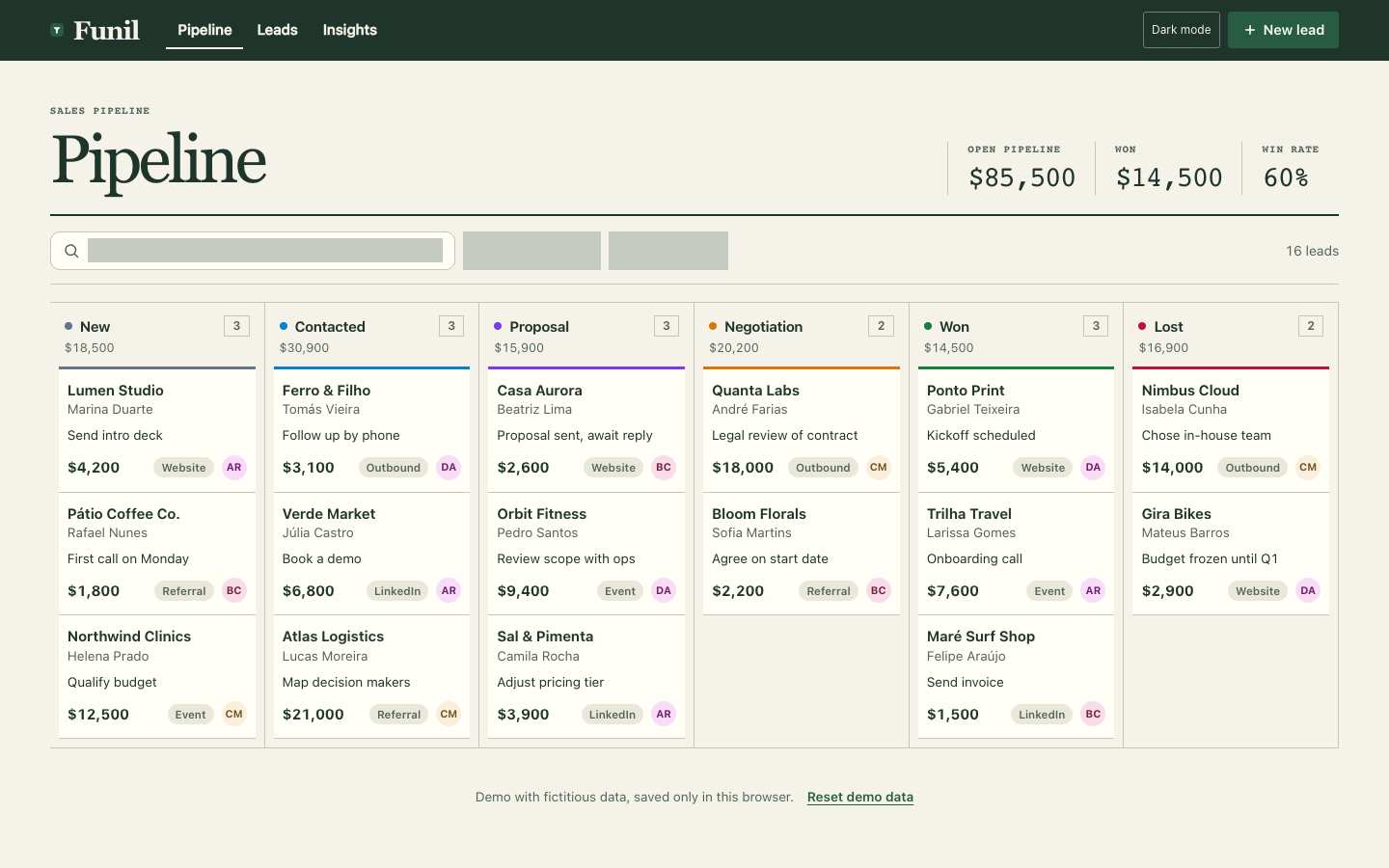
Both widths identify a sales pipeline through named companies, contacts, deal values, stages and concrete follow-ups. At 1440 the complete board supports comparison; at 390 only the first stage is fully visible, and unlabeled filters weaken the find-lead task. (/#/)
Visual specificity before deductions B. Weighted design base B. Distinct signal deductions 0.
Product specificity supplies 55% of the base, and the five visual design dimensions share 45%. Round the base to the nearest letter. Each distinct verified generic signal lowers it by one letter, down to F. Foundations are reported separately. The detector ceiling is A. Vision reviewed 3 of 3 measured routes.
- Template copy · not observed
- No instance was identified in the reviewed views.
- Gradient hero · not observed
- No instance was identified in the reviewed views.
- Emoji bullets · not observed
- No instance was identified in the reviewed views.
- Default shadcn grays · not observed
- No instance was identified in the reviewed views.
- Purple on white · not observed
- No instance was identified in the reviewed views.
- Centered everything · not observed
- No instance was identified in the reviewed views.
Compared with the 2026 references
- /#/ · Like client-portal-2, Funil groups navigation in a dark band and places responsibility beside working content. Its company, contact and follow-up details supply context; unlabeled filters and mobile stage clipping weaken access to the next decision. OpenProject · project workspace overview
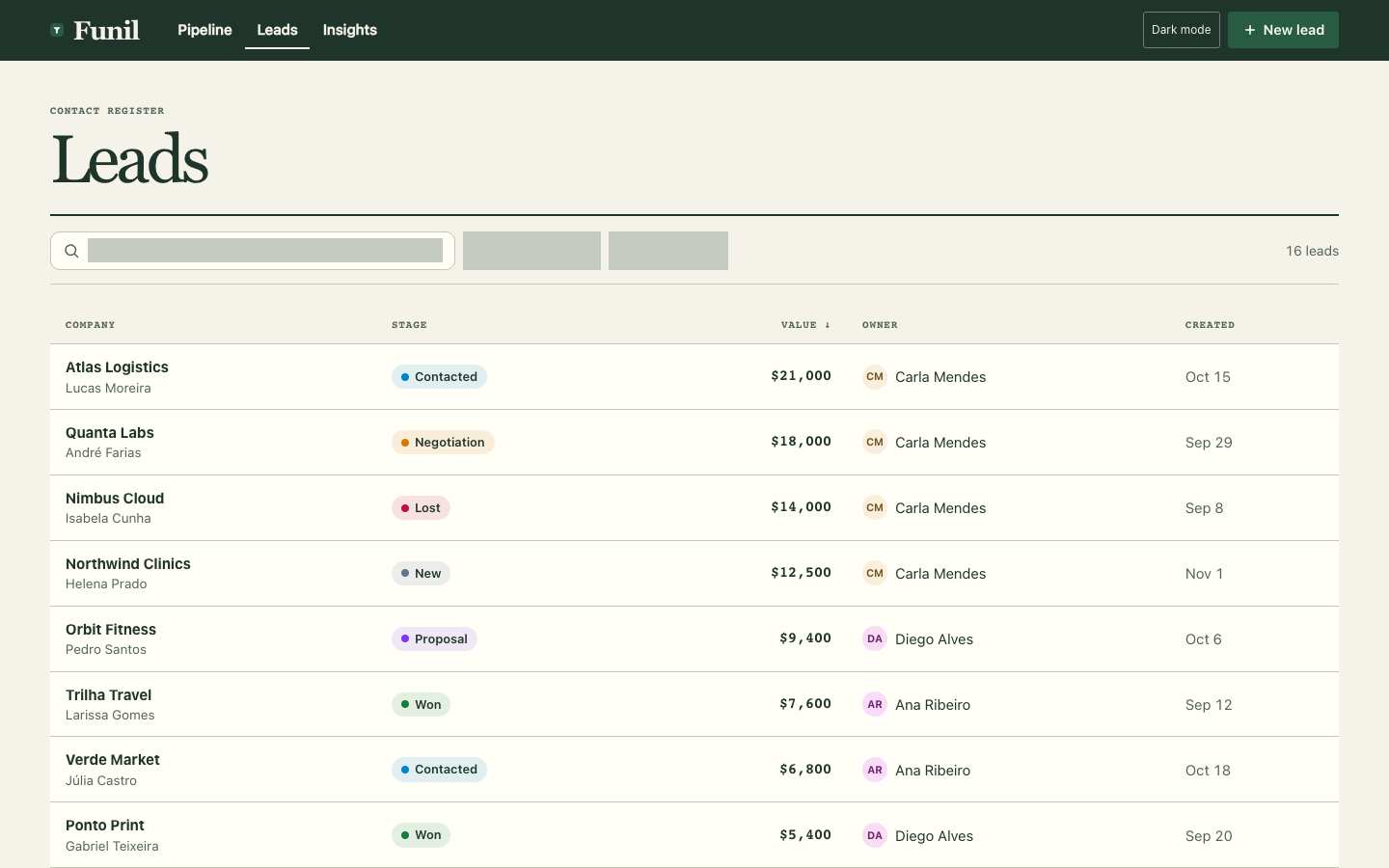
- /#/leads · Like the supplied OpenProject workspace observation, desktop Funil connects objects with responsible people through its Owner column. At 390 that context disappears; inspecting a lead should provide a discoverable way to recover ownership alongside its stage and value. OpenProject · project workspace overview
- /#/insights · Like OpenProject’s workspace overview, Funil keeps navigation together and uses strong headings to organize context. Desktop also names responsible owners. On phone, owner context is below the supplied crop; record-level inspection remains unverified. OpenProject · project workspace overview

Visual design
- Hierarchy
- C
- At 1440, Pipeline, summary metrics and six stage columns form a clear order. At 390, the heading and metrics adapt, but the wide board hides most stage choices and their records. (/#/)
- Typography
- C
- A visible text label renders below 12 px. (/#/, 1440 px.)
- Spacing
- C
- At 1440, consistent card padding and column dividers make the dense board orderly. At 390, the header and metrics fit, but the board clips horizontally and filter blocks consume space without readable information. (/#/)
- Copy and labels
- C
- Stage names and actions such as “Send intro deck” and “Legal review of contract” are specific at 1440; visible mobile cards retain useful follow-ups. Search/filter labels are absent from both captures, and owner initials have no visible explanation. (/#/)
- Imagery
- N/A
- This text-led pipeline needs no artwork: company names, values, stage colors and owner badges convey the working information at both widths.
Foundations · A
Contrast, responsive layout and keyboard reach are sampled separately. The foundations grade is the lowest verified result in this group.
- Color contrast
- A
- At least four opaque text samples per view passed the contrast threshold. Verified across 7 measured views.
- Responsive layout
- A
- All sampled viewports fit without horizontal overflow and contained readable text. Verified across 7 measured views.
- Keyboard access
- A
- Tab reached two visibly focused controls and Shift+Tab returned to the first. Verified across 7 measured views.
Fix these first
- Increase the label size and check its wrapping at phone width.Typography · /#/ · 1440 px
Evidence from the screens
Gray blocks conceal form values or sensitive text. Numbered outlines identify measured issues.
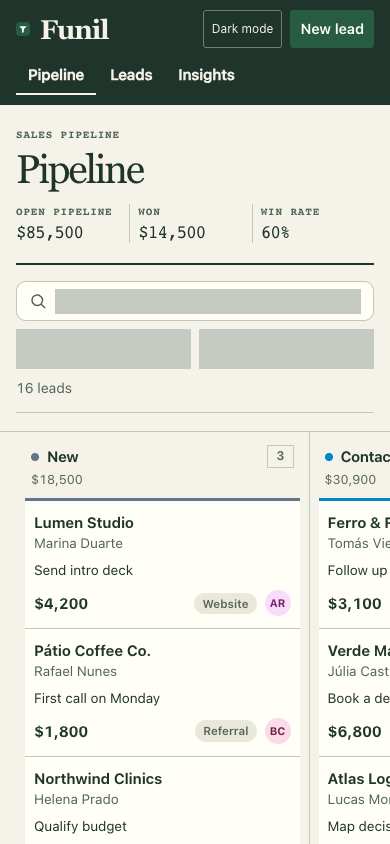
- A visible text label renders below 12 px.
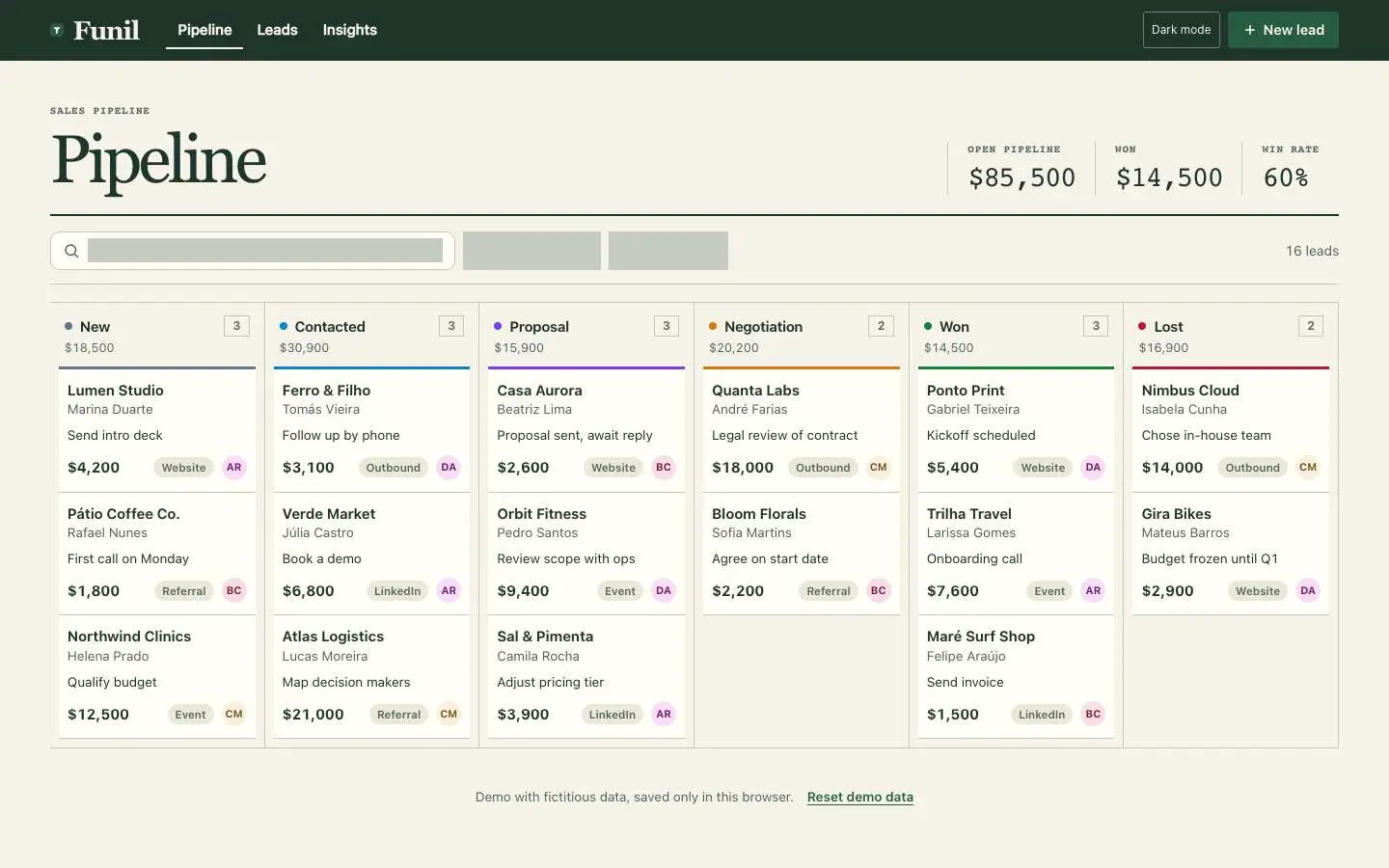
- A visible text label renders below 12 px.
- A visible text label renders below 12 px.
Independent task review
The reviewer assesses each route against its user task using desktop and phone evidence. Its task grades describe the interaction evidence available for that route.
/#/
Audit Funil’s working sales pipeline at /#/. Find leads, inspect their stage and value, and identify the next follow-up. Lumen Studio shows a $4,200 lead with the next action “Send intro deck.”
Reviewed at 1440 × 900 and 390 × 844.
- Task hierarchy
- C
- At 1440, six stages, totals and lead actions are readable together. At 390, only New and part of Contacted fit; later stages require horizontal navigation. Solid gray filter areas lack visible labels at both widths, obscuring how to find a lead.
- Landing message
- N/A
- This is an internal sales workspace, not a public landing page. Pipeline records and New lead establish its purpose.
- Interaction feedback
- Unverified
- No recorded action and outcome establish searching, filtering, opening a lead, changing stages or saving. Still images cannot establish feedback or persistence.
- Access and recovery
- C
- A visible Tab target was reached at both widths. At 390, the board extends beyond the viewport without a visible navigation cue. Search and adjacent gray controls have no readable labels. Reset demo data is visible at 1440; its behavior was not exercised.
- Release evidence
- Unverified
- Local captures establish the route at both sizes. Checks report one primary heading and a visible Tab target at each width, with 58 desktop and 21 mobile controls. Complete keyboard access, functional flows, persistence and deployment remain unverified.
First action
Restore visible labels and usable content in the search and adjacent filter controls at both widths so a salesperson can locate Lumen Studio without scanning every stage.
How to verify At 1440 and 390, confirm each search/filter control has a readable label and visible keyboard focus. Search for Lumen Studio and verify its $4,200 card and “Send intro deck” action remain reachable. Separately test mobile access to all six stages; contrast measurements and full keyboard reach remain unverified.
/#/leads
Audit Funil’s working Leads screen at /#/leads. Find leads and inspect the sales pipeline. Atlas Logistics is the first and highest-value visible lead ($21,000, Contacted); the next task is to open its details or inspect its pipeline position.
Reviewed at 1440 × 900 and 390 × 844.
- Task hierarchy
- C
- At 1440, the Leads title, value-sorted records and New lead action are clear. At 390, company, stage and value remain readable, but owner and created date disappear. Both widths show blank gray search/filter areas, and neither makes the lead-detail action explicit.
- Landing message
- N/A
- This is an internal contact register, not a public product landing page.
- Interaction feedback
- Unverified
- No search, filter, lead-opening or creation trigger and outcome was supplied. Screenshots cannot establish whether the gray control areas resolve, or whether actions save and report success.
- Access and recovery
- C
- At 1440 and 390, search/filter text is not visible, making controls hard to identify. At 390, the table fits its three displayed columns, but owner/date access is unestablished. Both browser checks reached a visible Tab target; complete keyboard reach and recovery remain unverified.
- Release evidence
- Unverified
- The supplied local captures establish renders at 1440×900 and 390×844. Checks report one primary heading and a visible Tab target at each width, with 21 desktop and 18 mobile controls. Functional completion, persistence and deployed behavior were not observed.
First action
Restore visible search guidance and labels for the two gray filter controls at both widths. Then make the route from Atlas Logistics to its details discoverable.
How to verify At 1440×900 and 390×844, confirm labels remain visible after rendering. Search for Atlas Logistics, exercise each filter, and open its details using pointer and keyboard. Confirm the $21,000 Contacted record and a return path. Measure contrast separately; the supplied Tab checks establish only partial keyboard access.
/#/insights
Audit Funil’s working Insights interface at /#/insights. The user needs to find leads and inspect the sales pipeline. The relevant objects are open deals and their stage, value and owner; Leads is the visible next navigation action.
Reviewed at 1440 × 900 and 390 × 844.
- Task hierarchy
- B
- 1440: four summary metrics precede readable stage, owner and source charts. 390: metrics become a clear 2×2 grid, but only the funnel and part of stage value fit initially; owner information requires scrolling. Leads and New lead remain prominent.
- Landing message
- N/A
- This is an internal pipeline reporting screen, not a public acquisition page.
- Interaction feedback
- Unverified
- Both checks report a visible Tab target, but no activation outcome is supplied for Leads, New lead or Dark mode. The images cannot establish confirmations, persistence or recovery.
- Access and recovery
- B
- 1440 and 390: navigation and controls have visible text labels; chart labels and numeric values supplement color. Recorded Tab focus reaches a visible target at both widths. Complete keyboard order, contrast measurements and recovery paths remain unverified.
- Release evidence
- Unverified
- The supplied local renders establish the Insights layout at 1440×900 and 390×844; checks establish one heading, six visible controls and a reachable visible Tab target at each width. Navigation outcomes, full-page mobile layout and deployment status are unobserved.
First action
At 390px, activate Leads and open a lead to establish whether the stated task continues into an inspectable record. Repeat at 1440px before proposing a navigation repair.
How to verify At each width, use the keyboard to activate Leads, open a record and return to Insights. Confirm visible focus, the selected record’s identity and retained navigation context. Separately measure contrast and inspect the remaining mobile charts by scrolling.
What a repair could look like
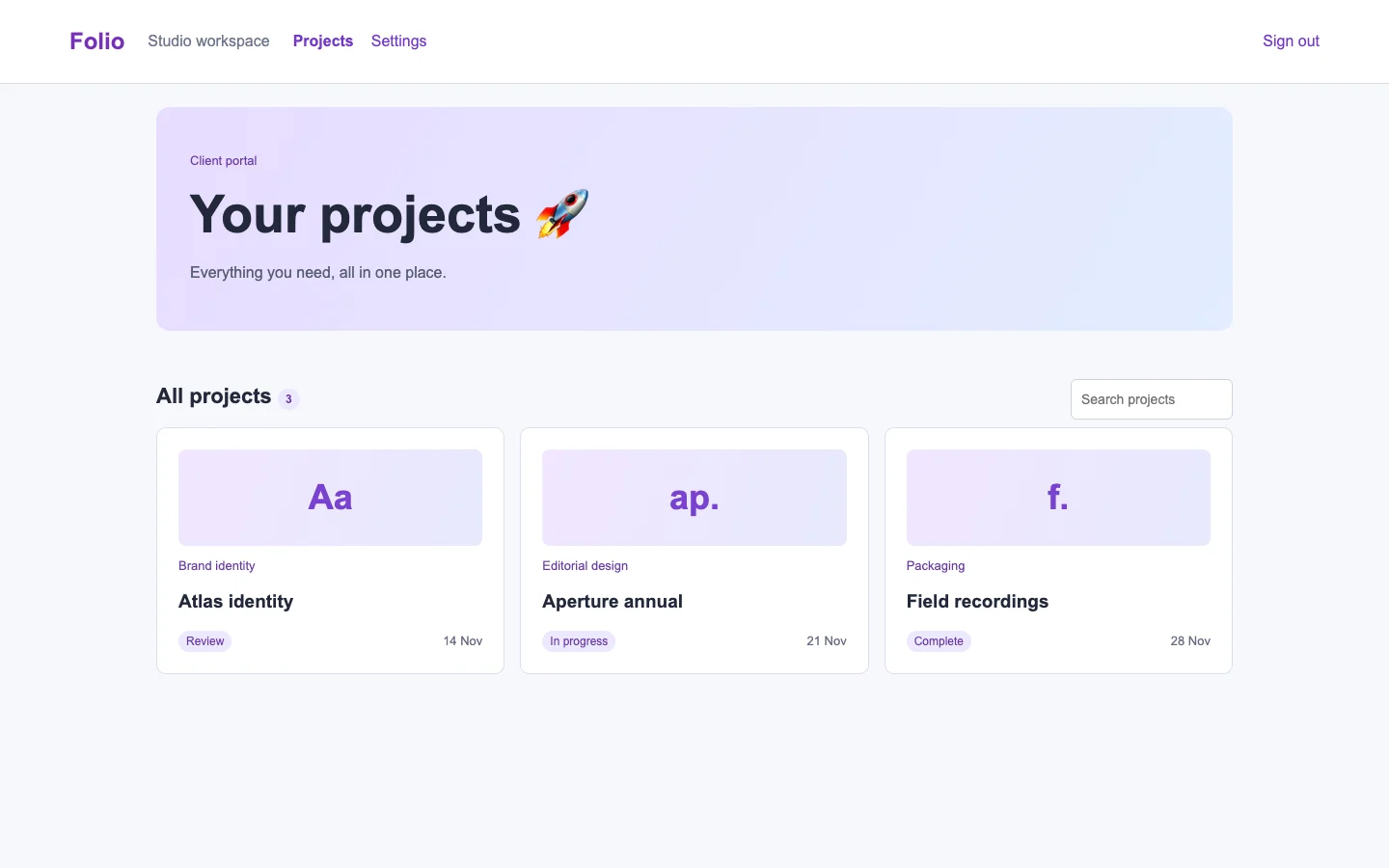
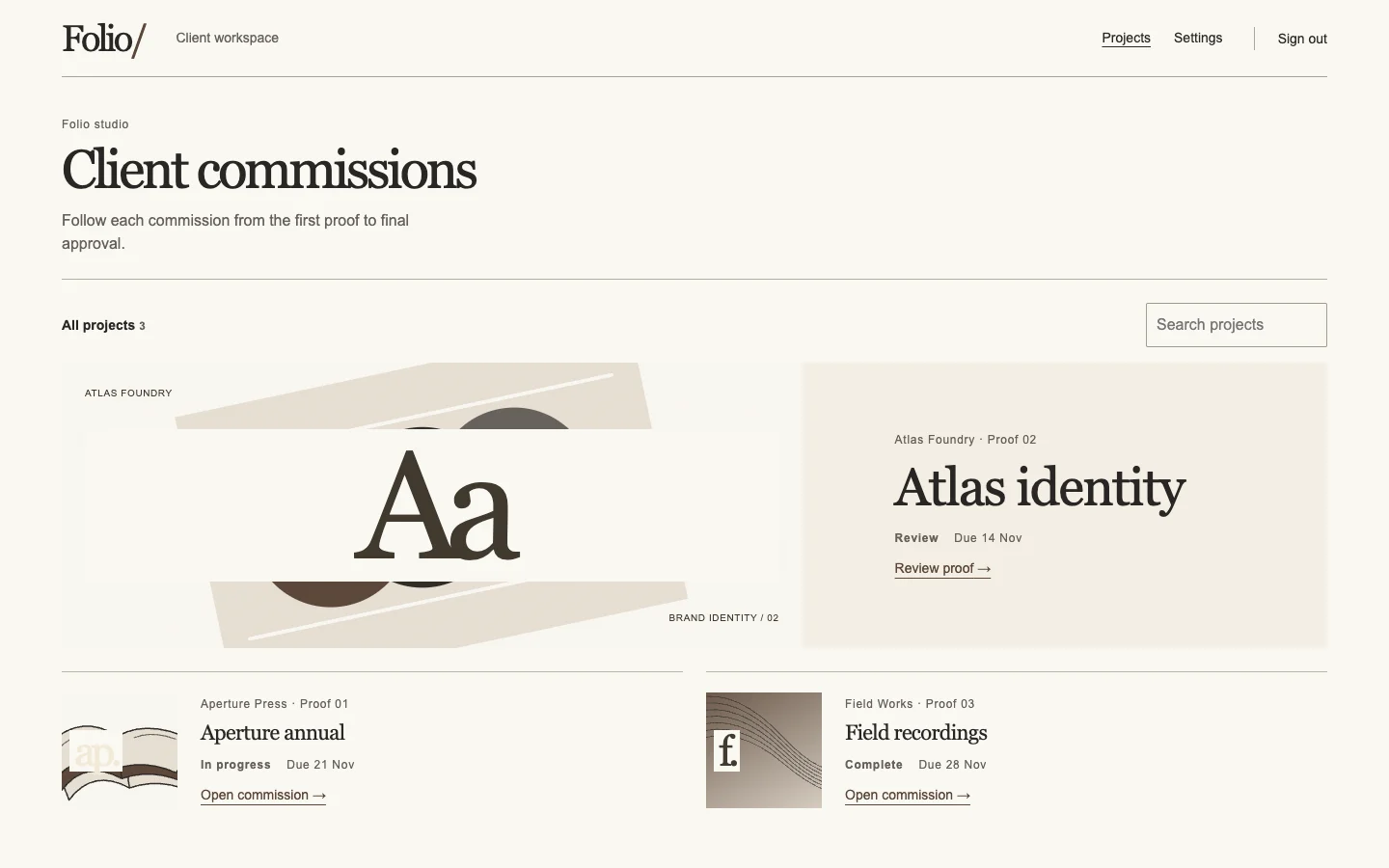
Folio is an agent-built client portal demo. Both captures show the same task.